Understanding Business Cards and Their Importance
Business cards serve as tangible representations of your professional identity, acting as quick reference tools that facilitate networking and establish credibility. They encapsulate key information such as your name, role, contact details, and company branding in a compact format, making it easy for potential clients, partners, or colleagues to recall your identity and reach out when needed. The personalized touch of a uniquely designed business card can leave a lasting impression, transforming casual connections into meaningful professional relationships.
In an era dominated by digital communication, the significance of traditional business cards remains undiminished. They demonstrate a commitment to professionalism and attention to detail, often serving as the first physical interaction between you and a prospective contact. Moreover, printing your own business cards allows for complete control over the design and content, enabling you to tailor each card to your specific branding requirements and target audience. This level of customization fosters brand consistency and enhances recognition across various professional circles.

Advantageously, DIY business card printing can be a cost-effective solution, especially for small businesses, freelancers, or individuals who need to produce a limited quantity of cards regularly. It also offers the flexibility to update information swiftly—an essential feature for changing contact details or launching new services—without waiting for external printing services or facing minimum order requirements. Overall, mastering the skills and knowledge to print your own business cards empowers you to present a more polished, consistent, and memorable professional image.
Why Print Your Own Business Cards?
- Full control over design and content customization
- Cost savings on small batch prints
- Quick turnaround for updates and reprints
- Enhanced professional presentation tailored to brand identity
- Opportunities for creative and unique design elements
Understanding the importance of well-crafted business cards underscores the value of learning how to design and produce them independently. This process not only fosters a deeper understanding of branding principles but also promotes resourcefulness and independence in maintaining a consistent professional image across all networking opportunities.
Understanding Business Cards and Their Importance
Business cards serve as a tangible representation of your professional identity, encapsulating essential contact information and visual branding elements in a compact format. They function as a primary tool in networking, allowing potential clients, partners, and colleagues to remember and reach you effortlessly. Crafting your own business cards provides an opportunity to embody your brand's personality and values through customized design, materials, and finishes. Developing the skill to produce professional-looking cards independently ensures that every detail aligns with your branding standards, fostering trust and recognition across different professional environments. Whether for marketing, maintaining client relationships, or establishing new contacts, well-designed business cards create a lasting impression that reflects your commitment to quality and professionalism.

Design Elements and Customization Options
Effective business card design hinges on carefully chosen elements that communicate your brand identity clearly and attractively. When printing your own business cards, focus on the following key aspects:
- Layout: Organize information logically with a clean, uncluttered layout that directs attention to the most vital details such as your name, title, and contact info.
- Colors: Use a color palette consistent with your branding to reinforce recognition, ensuring colors complement each other and maintain readability.
- Fonts: Select legible fonts that match your brand personality—professional serif fonts for formal industries or modern sans-serif for creative fields.
- Special Effects: Incorporate embossing, foil accents, or spot UV coatings selectively to create tactile interest and a premium feel.
- Imagery and Logos: Include high-resolution logos or images that communicate your brand identity without cluttering the design.
Customizing each of these elements allows you to produce cards that stand out visually, reinforcing your professional image and making a memorable impression during every handoff. High-quality printing and thoughtful design choices will ensure your business cards look polished and reflect your personal or corporate style accurately.
Choosing Card Materials and Finishes
The selection of card stock and finishes significantly impacts the durability, appearance, and tactile experience of your business cards. When opting to print your own business cards, consider the following options:
- Paper Types: Standard options include matte, gloss, and uncoated stocks. Matte finishes offer a subtle, elegant look with reduced glare, while gloss finishes provide vibrant colors and a shiny surface. Uncoated stocks are ideal for writing or adding personalized touches.
- Thickness and Weight: Thicker stocks (ranging from 14pt to 32pt) convey quality and durability. Heavier cards feel more substantial and often leave a stronger impression.
- Special Finishes: Consider laminations, soft-touch coatings, or textured surfaces for added tactile richness. Foil stamping and spot UV coating can accentuate specific design elements, elevating the overall presentation.
Choosing the right materials aligns with your branding goals and budget, ensuring your cards are resilient and visually appealing. High-quality materials, combined with thoughtful finishes, enhance the perceived value of your cards, making them more likely to be retained and displayed.
Selecting Printing Methods and Equipment
To successfully print your own business cards, understanding available printing techniques and equipment options is essential. These choices influence cost, quality, and the range of customization possible.
Printing Methods
- Digital Printing: Ideal for small batches and quick turnaround, digital printing offers high-quality results with less setup time and costs. It allows for easy updates and customization for each card.
- Offset Printing: Suitable for larger quantities, offset printing delivers superior color accuracy and consistency but involves higher initial setup costs. It’s preferable when bulk production with uniform quality is required.
- Letterpress and Engraving: These traditional techniques create embossed or debossed effects, adding a tactile dimension that’s perfect for luxury branding. They require specialized equipment and are generally used for premium cards.
- Screen Printing: Less common for business cards but useful for incorporating vibrant, opaque ink effects or specialty finishes in specific designs.
Equipment Considerations
- For DIY printing, investing in a reliable color laser or inkjet printer capable of handling thick stocks and producing sharp images is crucial.
- Incorporating cutting tools, such as guillotine cutters or corner rounders, ensures precise edges and professional presentation.
- Optional binding or application of special finishes can be achieved through compatible equipment or by outsourcing particular steps if necessary.
Matching your chosen printing method with the equipment ensures optimal results, maintains control over quality, and reduces overall production costs. Proper maintenance and calibration of printing devices are essential to producing sharp text and vibrant images consistently.
Choosing the Right Card Stock for Professional Impact
When printing your own business cards, selecting the appropriate card stock is crucial to achieving a polished and memorable appearance. The material’s weight and texture influence both the tactile experience and the overall impression of your branding. Common options include standard matte or gloss finishes in weights ranging from 14 pt to 32 pt. Thicker stocks, such as 16 pt or 18 pt, lend a sense of durability and luxury, making your cards stand out significantly. For a more tactile feel, textured finishes like linen, felt, or eggshell can add a sophisticated dimension, appealing to clients who value quality and detail.
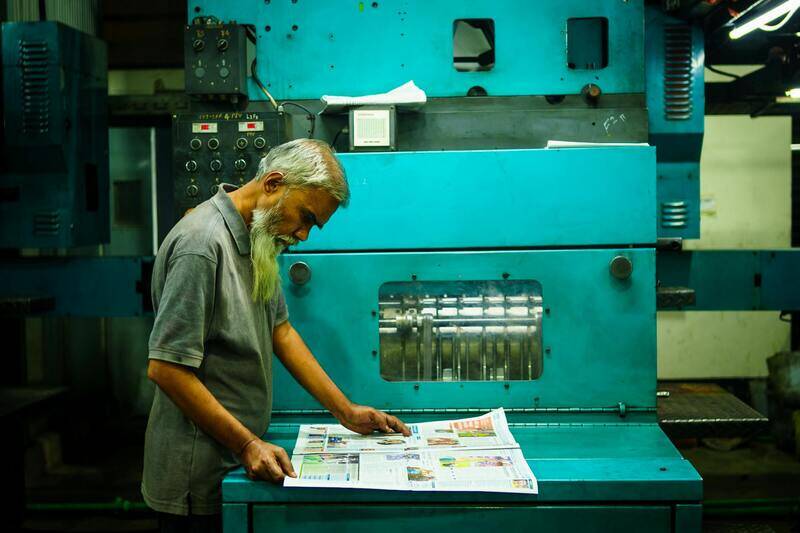
Keep in mind that certain finishes and textures are better suited for specific printing methods. For example, embossed or foil-stamped effects require sturdier stocks to produce crisp, clean results. When opting for specialty finishes, ensure your printer or printing equipment can accommodate the thickness and texture without compromising the outcome.
Various Finishes to Enhance Visual Appeal
Finishing options can dramatically influence how your business cards are perceived. Matte finishes offer a subdued, elegant look with reduced glare, ideal for minimalist designs or text-heavy cards. Glossy finishes, on the other hand, provide vibrant color saturation and a reflective surface that can make images and logos pop. Textured finishes such as linen or eggshell add tactile appeal, conveying luxury and attention to detail. Additionally, spot UV coating or soft-touch finishes can introduce unique visual and sensory effects, further distinguishing your cards from competitors.
Evaluating Cost vs. Quality for Printing Equipment and Materials
Balancing investment in quality materials and printing equipment against your budget is essential for producing professional business cards without overspending. For DIY initiatives, high-quality consumer-grade printers capable of handling thick stocks are recommended, combined with durable cutting tools to ensure precise edges. If you prefer outsourcing, choosing reputable printing services that utilize advanced presses and premium materials can guarantee superior results while minimizing hassle. Consider setting aside a budget for specialty finishes and larger print runs if you plan to produce high volumes regularly.

Matching Material and Finish Choices with Brand Identity
Every element of your business card, from material to finish, should align with your overall branding strategy. For instance, a tech startup might opt for sleek, matte black cards with minimalist design, while a luxury boutique may prefer textured stocks with embossed details and metallic foils. Understanding your target audience and brand personality helps in selecting materials that reinforce your message and leave a lasting impression. When your cards reflect a cohesive visual identity, they become a powerful tool for networking and brand recognition.
Practical Tips for Implementation
- Test small batches with different materials and finishes to evaluate the look and feel before committing to large quantities.
- Work with suppliers or print shops that offer sample packs or swatch books showcasing various options.
- Ensure that your file preparations consider the specific thickness and finish requirements to avoid surprises during printing.
- Regularly review and update your card design to stay aligned with changes in your branding or business focus.
Utilizing Professional Printing Equipment for High-Quality Results
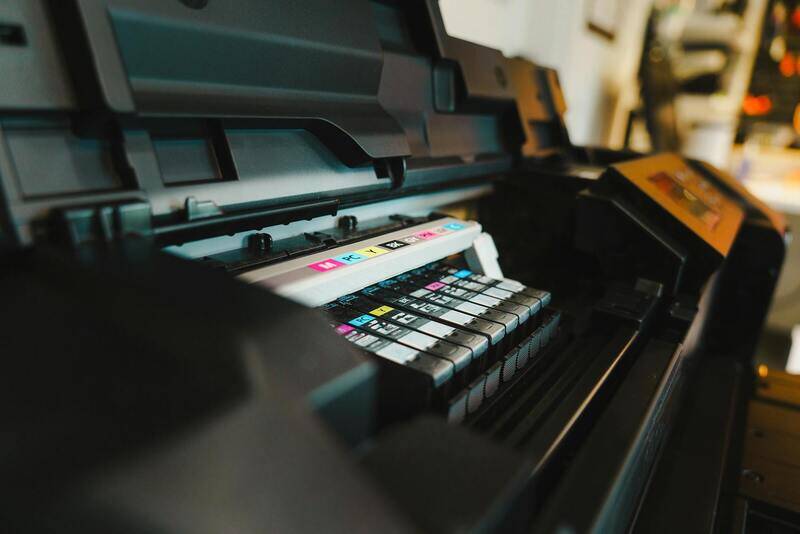
To produce business cards that stand out with sharp clarity and an impeccable finish, employing advanced printing equipment is essential. Professional-grade printers such as high-end digital presses and offset printing machines enable precise color reproduction, fine detail, and consistent quality across large print runs. When printing at home, investing in a quality laser or inkjet printer equipped with high-resolution capabilities (at least 600 dpi) can significantly improve print quality, reducing blurriness and color inaccuracies.
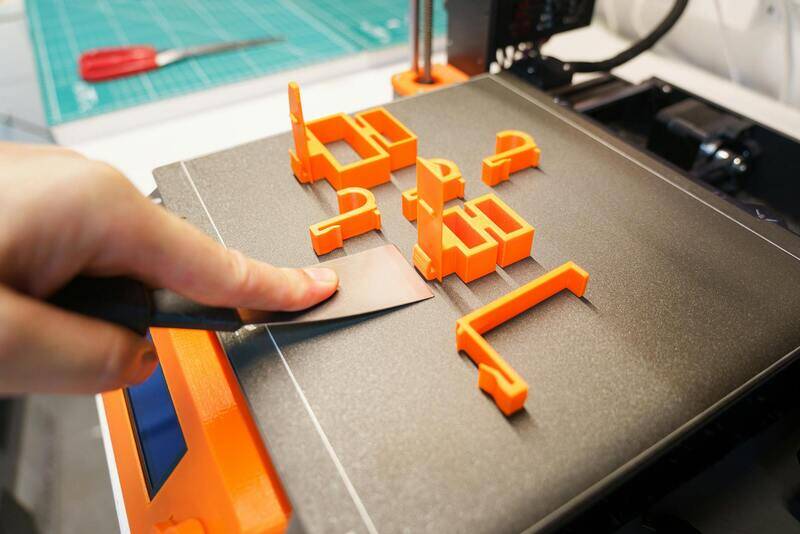
For those opting for personal DIY projects, selecting printers with advanced features—such as customizable color profiles, dual paper trays, and compatibility with various paper weights—can aid in achieving professional results. Ensuring the printer uses pigment-based inks rather than dye-based variants can enhance the longevity and resistance of printed cards against smudging and fading.
Adapting to Different Printing Techniques
Digital printing offers fast turnaround times and cost-effectiveness for small-to-medium quantities. It excels with variable data printing, allowing customized information on each card. Offset printing, while requiring higher initial setup costs, becomes cost-efficient for large batches, delivering superior consistency and color fidelity. Letterpress, a traditional method, creates tactile impressions that add a unique texture, ideal for premium card stocks and special editions.
Choosing the appropriate method involves considering print volume, desired quality, and budget constraints. For occasional or personalized cards, high-quality digital printing might be sufficient. Businesses aiming for bulk orders with premium presentation should consider offset or specialized embossed printing processes.
Implementing DIY Printing with Suitable Equipment
For entrepreneurs interested in printing their own business cards, selecting the right equipment is crucial. Invest in a high-resolution color laser printer capable of handling thick cardstock (up to 32pt or more). Using compatible, high-quality gloss or matte photo papers designed for your printer ensures optimal adhesion of inks and prevents jams or misfeeds.
Additional tools such as guillotine paper cutters, corner rounders, and specialty stamps can help add personalized touches and professional finishing. Proper calibration of your printing device and adherence to manufacturer recommendations are key steps in maintaining consistent output.
Integrating Professional Equipment into Your Workflow
To streamline your production, develop a setup routine that includes regular cleaning and maintenance of your printer. Create standardized templates for your business cards to ensure alignment and consistency across batches. When designing, always consider bleed areas and safe margins to prevent unwanted trimming or misregistration.

Combining the right equipment with meticulous process management allows small business owners and solopreneurs to produce attractive, professional-quality business cards that reinforce their brand image. Mastering these techniques ensures each card leaves a lasting impression and enhances your networking efforts seamlessly.
Choosing Card Materials and Finishes
When it comes to manufacturing your own business cards, selecting the right material is fundamental to achieving a professional appearance and durability. Common choices include various types of cardstock, each offering different tactile and visual qualities. Standard cardstock for business cards typically ranges from 14pt to 32pt thickness, with thicker options providing a more substantial and premium feel.
For entrepreneurs who want to add a touch of sophistication, specialty papers such as linen, felt, or recycled textured stocks can elevate the design. These materials provide unique surface textures that are highly appealing and memorable. It’s essential to ensure compatibility with your printing equipment, especially concerning weight and finish, as thicker or textured papers might require adjustments in print settings or additional hardware.

Finish options also play a significant role in how your cards will visually and physically present your brand. Matte finishes are excellent for minimizing glare and providing a smooth, elegant surface ideal for detailed text and subtle colors. Glossy finishes, on the other hand, amplify vibrant hues and sharp images, making visuals pop and creating eye-catching cards. Soft-touch finishes offer a luxurious feel, adding a tactile dimension that can set your business card apart.
Additional finishing techniques, such as UV coating or lamination, can provide extra durability and resistance against wear and tear. For added customization, embossing or foil stamping can give your cards a distinctive look, though these might require specialized equipment or professional services if not available in your home setup.
Ensuring Quality and Consistency in Your DIY Business Cards
- Use high-quality, compatible materials: Select papers and finishes designed for your printing method to prevent jams, smudges, or mismatched colors.
- Test print on sample sheets: Before committing to a full batch, print on a few samples to evaluate the appearance and manage any adjustments needed.
- Maintain your equipment: Regularly calibrate your printer and clean print heads to avoid streaks, dull colors, or misalignments.
- Employ protective coatings: Apply laminate or varnish to increase longevity and resistance to fingerprints or damage, especially for cards exposed to frequent handling.
By carefully selecting and finishing your business card material, you reinforce your brand identity with tangible quality. This meticulous approach ensures each printed card not only looks professional but also withstands regular use, leaving a lasting impression that aligns with your brand values.
Steps to Print Business Cards at Home or via Service
Printing your own business cards involves a systematic approach to ensure professional results while managing costs effectively. Whether opting for a home setup or utilizing a professional printing service, understanding the essential steps guarantees outcomes that reflect your brand's identity and quality standards.
1. Preparing Your Design Files
Before initiating any print process, review and prepare your design files meticulously. Use high-resolution images, ideally at 300 DPI, to ensure sharpness and clarity on printed cards. Include bleed margins—usually around 0.125 inches—to prevent unwanted borders or trimming issues. Save your files in compatible formats such as PDF, TIFF, or high-quality JPEG, which preserve visual integrity and are widely accepted by printers.
2. Selecting the Right Printing Method
Decide between digital printing, which is suitable for small to medium quantities with quick turnaround times, or offset printing for larger runs requiring high volume and detailed color precision. The choice hinges on your project size, budget, and desired finishing quality. Digital printers are accessible for home use, while offset printing typically requires professional facilities.
3. Setting Up the Printing Equipment
For at-home printing, ensure your printer can handle the type of cardstock selected. Use printers specifically designed for heavy stock to avoid jams or misalignments. Regular maintenance, such as cleaning print heads and calibrating color settings, is crucial to maintain output consistency. Verify the printer settings align with the card dimensions and material thickness to prevent errors during printing.
4. Conducting Test Prints
Always perform test prints on sample sheets matching your final material. This step allows you to evaluate color accuracy, resolution, and layout alignment. Adjust the printer settings accordingly to correct any disparities. Confirm that the alignment is precise, especially if multiple colors or complex designs are involved.
5. Producing the Final Batch
Once satisfied with test results, proceed with printing the complete batch. Maintain a clean workspace to avoid dust or debris settling on your cards during printing, which could compromise print quality. Handle printed cards with care to prevent smudging or scratches, especially if you plan to apply additional finishes or coatings afterward.
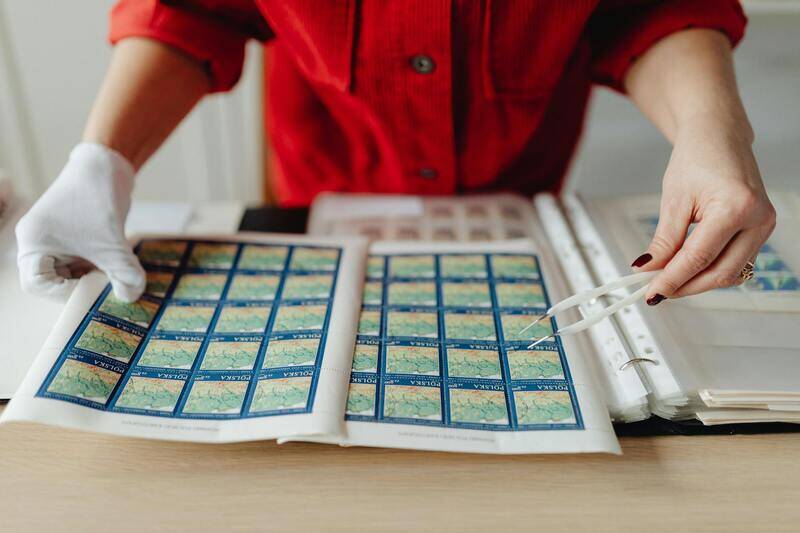
6. Post-Processing and Finishing
Post-processing can elevate the appearance and durability of your business cards. Consider cutting them precisely using a paper cutter if not printed on pre-perforated sheets. Applying finishing touches such as coating with a clear varnish, lamination, or UV coating can add protection against wear and enhance visual appeal. Embossing or foil stamping are advanced options for a premium look, often requiring specialized equipment or professional assistance.
7. Quality Control and Inspection
Inspect each batch meticulously for consistency in color, alignment, and finishing quality. Confirm that edges are clean and no printing errors are present. This step ensures your final product exudes professionalism and aligns with your branding standards. Address any imperfections promptly, possibly reprinting flawed units to maintain a cohesive presentation.
Understanding Business Cards and Their Importance
Business cards serve as a tangible reflection of your professional identity, establishing a first impression that can influence potential clients, partners, and contacts. They encapsulate essential information such as your name, title, contact details, and company branding, providing a quick and convenient way to share your professional identity. A well-designed card can communicate your company's values and style, reinforcing brand recognition and fostering trust. Given their portable nature, business cards are invaluable networking tools, allowing you to leave a memorable impression that can lead to future opportunities.
Design Elements and Customization Options
Effective business cards balance aesthetic appeal with clarity of information. Core design elements include your logo, typography, color scheme, and layout structure. Customization options enable tailoring the card to your brand identity, making it stand out amid numerous contacts. You can incorporate unique shapes or die-cut edges, use embossed or raised printing for a tactile experience, and select special finishes such as matte, gloss, or soft-touch coatings. Incorporating subtle design features like patterns, icons, or textured backgrounds can elevate the card’s visual impact without overwhelming the core information. Thoughtful customization ensures the card embodies your professional ethos while remaining functional and easy to read.

Choosing Card Materials and Finishes
The choice of material plays a pivotal role in the durability and tactile quality of your business cards. Common options include standard cardstock, which offers affordability and ease of printing, and premium materials like metallic, textured, or plastic cards for a more distinctive feel. Finishes such as matte, gloss, or satin can enhance the visual presentation and provide additional protection. Specialty finishes like UV coating or soft-touch coatings add luxury and resist fingerprints or water damage. For a more professional and durable product, consider using thicker card stocks or incorporating eco-friendly options like recycled paper. These choices can influence not only the appearance but also the longevity of your cards, ensuring they withstand handling over time.
Selecting Printing Methods and Equipment
There are several printing techniques suitable for producing high-quality business cards, each with its advantages. Digital printing is ideal for short runs, offering quick turnaround times and vibrant color fidelity. Offset printing is better suited for larger quantities, providing cost efficiency and superior quality for complex designs. For those choosing to print on their own, investing in professional-grade printers equipped for card stock is crucial. This equipment often features options for multiple color layers, precise registration, and various finishing capabilities. Advanced printing methods such as letterpress or foil stamping are typically reserved for larger-scale or commercial operations due to their specialized nature. Matching the printing method with your quality expectations and budget ensures your business cards look refined and consistent.

Preparing Files and Resolution Guidelines
Proper file preparation is essential to achieving crisp, professional results. Use vector-based design files in formats such as AI or EPS for logos and graphics to maintain sharpness at any size. Ensure that all images and graphics are in CMYK color mode to accurately reproduce colors during printing. Resolution should be set at a minimum of 300 DPI to avoid pixelation and blurry elements. Incorporate bleed areas—typically 0.125 inches—to prevent white borders after trimming. Double-check alignment, fonts, and spacing before submitting the design files to prevent misprints or misalignment. Uploading a proof or conducting a test print can identify potential issues, allowing adjustments before printing the final batch.
Cost Considerations and Budgeting
Cost factors in business card printing include design complexity, material choice, quantity, and finishing options. Printing larger quantities often reduces the per-unit cost, providing better value, especially when ordering through a professional service. Budgeting for premium finishes or specialty materials should be balanced against overall marketing goals. Additional costs may arise from custom die cuts, embossing, or specialty inks, which can elevate the card’s aesthetic but also increase expenses. For small businesses and startups, exploring options like online printing services or DIY printing with quality equipment can help control costs without compromising professionalism. Careful planning and comparison of options enable the creation of impactful business cards that align with branding strategies and financial considerations.
Understanding Business Cards and Their Importance
Business cards serve as a tangible extension of your brand, offering recipients a quick and efficient way to remember your contact information and professional identity. They are essential tools in networking, marketing, and establishing credibility within your industry. Well-designed and thoughtfully printed business cards can leave a lasting impression, fostering trust and opening doors to future opportunities.
Design Elements and Customization Options
Design plays a crucial role in how your business card is perceived. Key elements include your logo, company name, tagline, contact details, and any relevant social media handles. Customization options range from choosing specific fonts that reflect your brand personality to incorporating unique design features such as patterns, icons, or background colors. Many online printing platforms offer templates, but tailoring these templates ensures your card stands out. Embossing, foil stamping, embossing, and textured finishes can add tactile elements that enhance the visual appeal and professionalism of your cards.
Choosing Card Materials and Finishes
The material of your business card significantly impacts its durability and aesthetic. Standard options include cardstock with various thicknesses, typically measured in points (pt). Heavier cardstock, such as 16pt or higher, exudes quality and permanence. Specialty materials like plastic, metal, or kraft paper can create distinctive impressions aligned with specific brand identities. Finishes matter too, with options such as matte, gloss, or satin coatings. Matte finishes lend a sophisticated, understated look and are excellent for readability, while gloss finishes enhance vibrancy and make images pop. For a more tactile experience, consider soft-touch coatings or textured finishes that add depth to your design.
Selecting Printing Methods and Equipment
Printing methods directly influence the quality, cost, and type of customization achievable for your business cards. Offset printing offers high-quality, cost-effective options for bulk orders, ensuring vibrant colors and sharp details. Digital printing, on the other hand, is well-suited for smaller runs and quicker turnaround times, providing flexibility in design changes. Letterpress and foil stamping are premium techniques used to elevate the tactile and visual appeal of cards, often emphasizing logos or important text with embossing or metallic accents. If you plan to print at home, investing in a high-resolution color printer with compatible cardstock can be an effective solution. For professional results, using commercial-grade printing equipment through a reputable print service is advisable.
Preparing Files and Resolution Guidelines
Properly preparing your design files ensures consistent, high-quality output. Work in vector formats such as AI or EPS for logos and graphics to maintain clarity at any scale. All images and graphics should be in CMYK color mode to replicate colors accurately during printing. A minimum resolution of 300 DPI is essential to prevent pixelation and blurriness—especially for text and intricate designs. Incorporate bleed areas of approximately 0.125 inches around the edges to accommodate trimming without risk of white borders. Double-check all elements for alignment, font readability, and spacing before submission. Conducting a test print or requesting a proof from your printer allows you to identify and correct issues beforehand, minimizing costly reprints.
Cost Considerations and Budgeting
Understanding the cost factors involved in business card printing helps you make informed decisions aligned with your budget. Factors such as design complexity, choice of materials, quantity, and finishing options all influence the final price. Bulk printing generally offers a lower cost per card, optimizing overall expenditure. Premium finishes like embossing, foil, or specialty papers, while more expensive, can significantly enhance your card’s visual and tactile appeal. For startups and small businesses, balancing quality with affordability is key. Online printing services often provide competitive rates, while DIY printing may be suitable for small quantities or test runs, provided you have access to quality equipment. Comparing estimates across suppliers and considering long-term branding goals assists in developing a cost-effective strategy.
Maintaining and Storing Business Cards
Proper management of your business cards ensures they remain professional and appealing over time. Store cards in dedicated organizers, cases, or high-quality card holders to prevent damage and keep them in pristine condition. Avoid exposure to excessive moisture, sunlight, or heat, as these can cause warping or fading. When handing out cards, do so with confidence, ensuring they are clean and undamaged. Keep a digital record of the cards you distribute to facilitate follow-up and network management. Regularly review and replenish your supply to maintain a consistent presentation during professional interactions. Proper storage and handling reflect positively on your brand, reinforcing a professional image in every exchange.