Definition and Importance of Color Print Images
Color print images are visual representations produced through printing processes that utilize a range of colors to accurately replicate the original artwork, photograph, or design. These images are essential in a multitude of fields, including commercial advertising, photography, graphic design, and packaging. Their primary goal is to deliver vibrant, true-to-life visuals that meet specific quality standards and aesthetic expectations.
In digital printing, a color print image typically involves the use of multiple ink colors—commonly cyan, magenta, yellow, and black (CMYK)—to produce a broad spectrum. This combination allows for detailed gradations, nuanced shading, and precise color matching, elevating the overall impact of print media. The significance of color print images extends beyond mere aesthetics; it influences the perception of brand identity, enhances product appeal, and ensures accurate communication of visual information.

Achieving optimal color print images is a meticulous process that involves careful attention to color fidelity and reproduction accuracy. When executed properly, these images can evoke emotion, convey complex messages, and provide clarity in visuals, which are crucial factors in professional printing projects. High-quality color images are often regarded as a reflection of technical competence and dedication to excellence in the printing industry.
In addition to their visual impact, color print images play a vital role in ensuring consistency across different print runs. Whether producing marketing materials, packaging, or art reproductions, maintaining precise color reproduction guarantees that the final output aligns with the original design intentions. This consistency is especially important for branding, where color accuracy can significantly influence consumer perception and recognition.
Furthermore, advancements in digital printing technology have made it more feasible to reproduce complex color images efficiently and cost-effectively. Modern printers equipped with sophisticated inkjet or laser systems are capable of producing images with fade resistance, sharp detail, and consistent color tones, meeting the rigorous demands of professional applications. As a result, businesses and artists alike benefit from the ability to transform their digital creations into tangible, eye-catching color print images that stand out in competitive markets.
Ultimately, the quality and fidelity of color print images are critical factors that directly impact the success of various print projects. The ability to accurately reproduce vibrant colors, intricate details, and smooth gradients not only enhances the visual appeal but also ensures that the message or brand identity is communicated effectively, establishing trust and credibility with the audience.
Understanding Color Print Image Technologies and Their Applications
When aiming to produce high-quality color print images, selecting the appropriate printing technology is crucial. Each method offers distinct advantages that can significantly influence the final output's quality, detail, and vibrancy. Digital printing, particularly inkjet and laser systems, dominate the landscape due to their versatility, speed, and ability to reproduce complex color schemes with precision.
Inkjet Printing
Inkjet printers are renowned for their ability to produce detailed and color-rich images. They operate by propelling tiny droplets of liquid ink directly onto various surfaces, including high-quality papers designed specifically for color accuracy. This technology is highly favored in artistic, photographic, and proofing environments due to its exceptional ability to handle a broad color gamut and produce smooth gradients. The choice of high-quality ink cartridges and specialized paper ensures color consistency and fade resistance, making inkjet printing ideal for reproducing vibrant color images with intricate details.
Laser Printing
Laser printers excel in producing sharp text and images quickly and efficiently. They employ a toner-based process that fuses powdered pigment onto paper through heat, creating crisp lines and defined color edges. While traditionally associated with document printing, advancements in color laser technology now allow for impressive color reproduction suitable for marketing materials and professional presentations. The advantage of laser printing lies in its high throughput capacity and consistency across large print runs, making it an excellent choice for producing large volumes of color print images with minimal color variations.
Digital Printing and Its Impact on Color Output
Digital printing encompasses both inkjet and laser methods, offering unmatched flexibility for small-run productions, variable data printing, and quick turnaround times. The integration of sophisticated color management systems within digital printers ensures accurate translation of digital color files to physical prints, minimizing discrepancies and ensuring color fidelity. Digital printers also facilitate the use of custom color profiles, enabling precise color matching across different media and print batches, which is essential for branding, marketing, and artistic reproduction.
Visual Illustration of Different Technologies

Optimizing Color Print Image Quality Through Technology Choice
Selecting the right printing technology depends on the specific requirements of a project. For photographic prints requiring nuanced color gradations, inkjet printers equipped with wide color gamuts and high-resolution capabilities are ideal. For rapid production of large volumes with consistent color, laser printers provide the efficiency needed without compromising too much on color accuracy. In scenarios where color fidelity and detailed reproduction are paramount, digital presses with integrated color management systems are highly effective, offering precision and reproducibility across multiple print runs.
Ultimately, understanding these technological differences allows print professionals, artists, and businesses to make informed decisions to enhance the quality of their color print images. The focus on precise color management, appropriate material selection, and advanced print technology ensures that every image accurately reflects the original digital design, thereby elevating the visual impact and communicative power of printed materials.
Achieving Optimal Color Accuracy with Color Print Image Calibration
When aiming for remarkable color fidelity in printed images, meticulous calibration processes are essential. Calibration involves adjusting the printing device to ensure that the colors outputted match the intended digital design as closely as possible. This process begins with establishing a baseline using test patterns and color charts, which help evaluate how the printer reproduces specific colors. Once the initial test results are obtained, calibration settings—such as color balance, density, and gamma correction—are fine-tuned to align the printer's output with the standard color profiles.
Device calibration is a critical step in this process. Modern professional-grade printers often include built-in calibration tools or can be paired with external calibration hardware, such as spectrophotometers, which precisely measure printed color patches. These measurements are used to create custom profiles that define how the device reproduces colors. This tailored approach minimizes deviations, ensuring that each printed image maintains consistent color integrity across multiple print runs.
Furthermore, regular calibration schedules are crucial for maintaining output consistency over time. Environmental factors such as temperature, humidity, and printer usage patterns can influence print quality and color accuracy. By incorporating routine calibration checks into workflow protocols, print operators can promptly identify and correct discrepancies, preventing color shifts and ensuring uniformity.
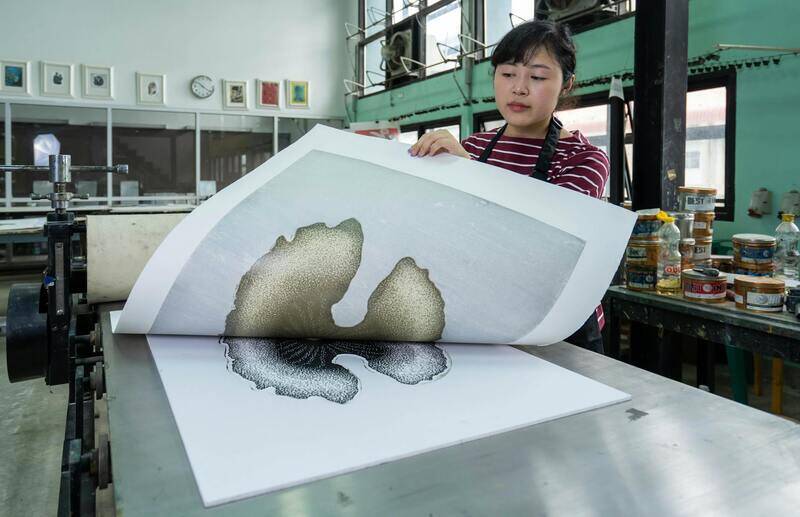
Implementing lossless color management workflows is also vital. This includes utilizing professional-grade software to embed accurate color profiles into digital files before printing. Use of standardized formats such as ICC profiles ensures that the digital file and the printer interpret color data uniformly, leading to more predictable print results. For projects demanding precise color matching—such as branding assets or photographic reproductions—these calibration and management techniques significantly reduce errors.
Choosing appropriate hardware and software solutions for calibration can also influence outcomes. High-end inkjet printers with integrated calibration capabilities are capable of maintaining color accuracy with minimal manual intervention. Similarly, professional color management software offers extensive tools for profiling, device simulation, and color correction. Combining robust hardware calibration with precise software adjustments creates a comprehensive system for achieving highly accurate color print images.
Understanding Color Profiles and Color Spaces in High-Quality Color Print Images
When aiming to produce precise and consistent color print images, the utilization of color profiles and an understanding of color spaces play a pivotal role. These elements serve as the foundation for translating digital color data into physical prints with accurate color reproduction. A well-implemented color management system ensures that the intent behind the digital design is faithfully realized on the final printed material.
What are Color Profiles?
Color profiles are standardized datasets that describe the color attributes of devices such as monitors, scanners, and printers. They act as translators, dictating how colors should be interpreted and reproduced across different hardware and media. Embedding accurate color profiles into digital files ensures that each device involved in the printing process communicates consistently, facilitating reliable color outcomes.
Commonly used profiles include ICC (International Color Consortium) profiles, which are designed to facilitate color management workflows. By embedding these profiles within image files, professional print operators can control how colors are rendered at every stage, from screen display to final output. This process minimizes unexpected shifts in color appearance, especially in projects demanding high fidelity, such as photographic prints or branding assets.
Color Spaces: RGB and CMYK
Color spaces define the specific range of colors that can be produced within a digital environment. The two most prevalent color spaces used in printing are RGB (Red, Green, Blue) and CMYK (Cyan, Magenta, Yellow, Black).
- RGB: Primarily used for digital display, RGB encompasses a broad spectrum of colors suitable for screens. When preparing images for print, RGB files must often be converted to CMYK to match the capabilities of printing hardware.
- CMYK: Designed for color printing, CMYK utilizes subtractive color mixing, which is more aligned with physical ink behavior. Understanding the specific gamut of CMYK allows for adjustments during prepress to avoid issues like color clipping or dullness.
Effective management of these color spaces involves converting RGB images to CMYK with calibrated profiles that reflect the specifics of the printing process, media, and inks used. This ensures color consistency and vibrancy in the final print.

Implementing Color Management Strategies
To optimize color accuracy, it is crucial to establish a standardized workflow that incorporates calibrated devices and consistent profile application. Regularly updating ICC profiles and conducting test prints help verify color fidelity. Maintaining a color-managed environment reduces discrepancies and enhances the predictability of color print images across different projects and materials.
In professional settings, utilizing software capable of color proofing allows for visual verification before actual printing, further reducing errors. Tailoring calibration routines according to the specific media and ink combinations ensures that the printed output meets the desired standards of color precision and aesthetic quality.
Understanding Color Profiles and Color Spaces
Effective management of color in print production hinges on the proper use of color profiles and understanding different color spaces. Color profiles serve as digital blueprints that define how color information is interpreted by devices such as monitors and printers, ensuring consistency across the workflow. These profiles are embedded in image files to communicate color rendering intentions accurately, which is especially vital when preparing color print images for professional output.
Color spaces, on the other hand, are defined ranges of colors that can be represented within a device or a process. RGB (Red, Green, Blue) and CMYK (Cyan, Magenta, Yellow, Key/Black) are the two primary color spaces used in digital and print media respectively. RGB is favored for digital displays because it aligns with the additive nature of light, producing bright and vibrant colors. CMYK, however, is tailored for physical printing, utilizing subtractive color mixing. When preparing images destined for printing, converting RGB files to CMYK involves careful consideration to preserve color fidelity while respecting the limitations of printing hardware.
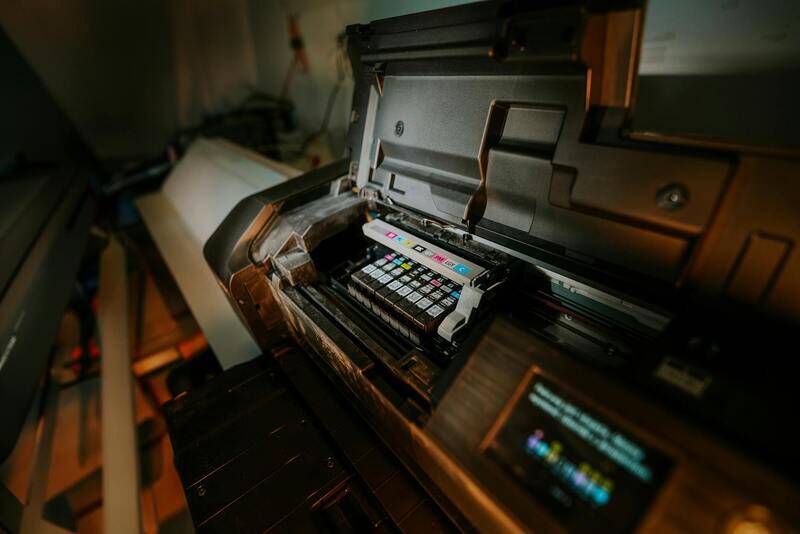
This conversion process can impact vibrancy because the CMYK color gamut is inherently smaller than RGB. Therefore, it is essential for designers and prepress specialists to use calibrated color profiles during this transition, adjusting images as needed to minimize color clipping or dullness. Proper calibration ensures that the colors seen on the preview match the final output as closely as possible, maintaining the intended impact and accuracy of the printed image.
Maintaining consistency in color management involves regularly updating ICC (International Color Consortium) profiles that govern device-specific color rendering and conducting test prints. This iterative process helps identify and correct issues before full-scale production, safeguarding the quality of the final color print image. Digital proofing tools with color proofing capabilities further assist professionals in visualizing the final results and making necessary adjustments beforehand.

By adhering to strict color management protocols, print shops can consistently reproduce vibrant, accurate images that meet client expectations. Understanding the nuances of color profiles and spaces allows for greater control throughout the prepress and printing stages, reducing costly errors and material waste while enhancing color fidelity across various printing projects.
Material and Paper Choices for Color Printing
Making the right selection of materials and paper is fundamental to achieving optimal color richness and clarity in printed images. The surface texture, weight, and coating of the paper all influence how inks and dyes interact with the material, directly affecting the vibrancy and accuracy of the final color print image. For instance, glossy papers tend to enhance color saturation and sharpness, making them ideal for high-resolution photographic prints and marketing materials that demand bright, vivid visuals. Conversely, matte papers, while offering a softer finish and reducing glare, may absorb more ink, which slightly dulls the intensity of the colors and creates a more subtle, understated appearance.
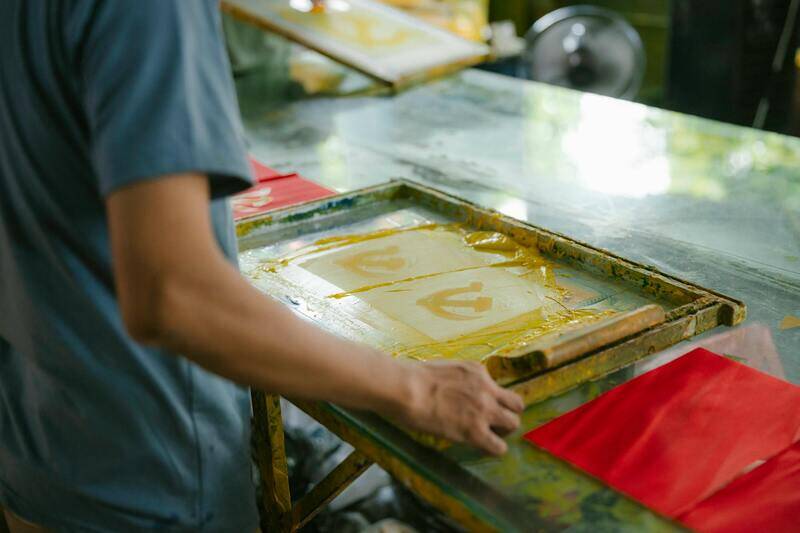
In addition to surface finish, the weight of the paper can influence color depth and overall presentation. Thicker papers, such as cardstock or fine art papers, often provide a sturdier base that supports more ink layers, resulting in richer, more durable color images. For applications requiring longevity and high quality, choosing archival-quality, acid-free paper can preserve the integrity of the color print image over time, preventing fading and discoloration.
Coatings applied to paper surfaces also play a crucial role. UV coatings and aqueous coatings can significantly boost vibrancy and gloss, producing colors that appear more saturated and eye-catching. These coatings also help protect the printed surface from scuffs and moisture, ensuring that the color print image maintains its impact throughout its lifespan. When selecting materials, it’s essential to consider the intended use—whether for display, packaging, or personal memorabilia—as this determines the appropriate specifications for optimal color reproduction.

Factors Influencing Material and Paper Selection
- Surface Texture: Glossy, semi-gloss, matte, or silk finishes each interact differently with inks, influencing vibrancy and detail rendition.
- Paper Weight: Heavier papers provide a more substantial base, supporting richer ink deposition and color depth.
- Coatings: Protective coatings enhance color saturation and durability, vital for high-impact displays or archival purposes.
- Intended Use: Display prints, packaging, or documents each require specific materials to achieve the desired visual and physical qualities.
- Longevity Requirements: Archival or acid-free papers help maintain color fidelity over time, resisting fading and environmental damage.
Choosing the right combination of these elements ensures that the color print image captures the intended vibrancy, sharpness, and durability. Consultation with printing professionals and testing different substrates can further optimize results, especially for high-precision projects that demand exact color representation and longevity.
Material and Paper Choices for Color Printing
Choosing the appropriate materials and paper is critical when producing a high-quality color print image. The selection impacts not only the visual vibrancy and sharpness but also the durability and longevity of the final print. Understanding the different options available allows for optimal results tailored to the specific application.
Surface Texture and Finishes
The texture of the material or paper fundamentally influences how inks absorb and reflect light. Glossy finishes enhance color saturation and provide a vibrant, high-contrast appearance, making images pop and details stand out vividly. Semi-gloss papers offer a balance between gloss and matte, providing good color depth while reducing glare. Matte papers diffuse light, resulting in softer images with less reflection, which is ideal for viewing in bright environments or for prints requiring a more subdued, professional look. Silk finishes combine elements of gloss and matte, delivering smoothness and richness in color without excessive shine.

Paper Weight and Thickness
The weight of the paper correlates directly with its physical robustness and visual impact. Heavier, thicker papers provide a sturdy base that supports richer ink application, which enhances color depth and sharpness. For high-end displays or archival prints, thicker papers help prevent warping and damage over time. Conversely, lighter papers are suitable for rapid printing, bulk copies, or when portability is a concern, though they may compromise some aspects of vibrancy and longevity.
Coatings and Finishes for Enhanced Color Reproduction
Specialized coatings can significantly improve the appearance and durability of color print images. UV coatings, varnishes, and lamination protect the print from scratches, moisture, and UV fading, maintaining color fidelity and vibrancy over time. Printing on coated papers helps inks sit smoothly on the surface, resulting in sharper images with better color saturation. If longevity and resistance to environmental factors are priorities, selecting papers with appropriate surface coatings is a vital step in the production process.
Material Selection Based on Application
- Display and Art Prints: Use premium, acid-free, archival-quality papers with high weight and gloss or silk finishes to maximize vibrancy and lifespan.
- Packaging: Opt for sturdy, coated cardboard or specialty papers that combine durability with bright, eye-catching colors.
- Personal Memorabilia: Choose matte or semi-gloss papers that minimize glare and handle wear over time.
- Commercial and Promotional Materials: Select bright, coated papers that enhance color richness and ensure consistent reproduction across large batches.
Optimizing Results Through Professional Consultation
Given the variety of options, collaborating with printing professionals can greatly enhance the precision of color reproduction. They can recommend specific material combinations based on the desired final appearance, environmental conditions, and handling requirements. Conducting test prints on different substrates helps to compare how various papers influence color accuracy, ensuring the final output aligns with expectations and application needs.
Understanding How to Achieve Perfect Color Print Images
Once the foundational aspects of color management, technology selection, and material choice are optimized, the focus shifts toward ensuring the final output accurately represents the intended design. Achieving a high-quality color print image involves meticulous calibration of the entire printing workflow, from digital design to physical output, to preserve color integrity and consistency across multiple prints or batches.
Calibration of Printing Equipment and Monitors
Accurate color reproduction begins with proper calibration of both monitors and printing devices. Professional-grade monitors should be calibrated regularly using specialized hardware to ensure the displayed colors match standardized color profiles. This alignment allows designers to work with a reliable reference, minimizing discrepancies once the design is ready for printing.
Similarly, printers require calibration to account for variations in ink flow, paper absorbency, and environmental conditions. Process control devices, such as spectrophotometers, measure output colors during test runs, enabling adjustments to ink densities, color profiles, and printer settings. This systematic approach significantly reduces color deviations, ensuring that what is designed on screen translates faithfully to printed images.
Soft Proofing and Hard Proofing Processes
Before committing to a full print run, employing proofing methods offers a preview of how the final color print image will appear. Soft proofing involves simulating print colors on calibrated monitors, providing a quick and cost-effective preview that helps identify potential color shifts. Hard proofing, on the other hand, uses actual printing on selected materials to produce a physical sample. This tangible reference allows for precise evaluation of color accuracy, saturation, and tonal range, facilitating necessary adjustments before mass production.
Maintaining Consistent Printing Conditions
Environmental factors play a crucial role in color fidelity. Factors such as temperature, humidity, and ambient light can influence ink drying, paper behavior, and ultimately, color output. Maintaining a controlled printing environment with stable conditions minimizes variability and ensures consistent results over time. Regular equipment maintenance, including cleaning and replacing consumables, also contributes to reliable performance, preserving color quality across printing sessions.
Advanced Color Correction and Post-Processing Techniques
Post-processing, including color correction and image editing, is vital for fine-tuning the visual impact of color print images. Professional software allows for targeted adjustments to hue, saturation, brightness, and contrast, helping to achieve precise match to original design specifications. Applying non-destructive editing techniques ensures that the original digital files retain their integrity, enabling future revisions or reprints without degradation of quality.
Utilizing Professional Support and Ongoing Training
Staying informed about the latest advancements in printing technology and color management practices is essential. Collaborating with industry experts and investing in ongoing training enhances a team’s ability to troubleshoot issues proactively and optimize workflows continually. Knowledge shares, workshops, and certifications contribute to a more refined understanding of achieving impeccable color print images, allowing for a competitive edge in quality and customer satisfaction.